

4·
8 days agoDifferent tools. LogSeq is outliner tool with a database backend. HelixNotes is a markdown editor (with default WYSIWYG editor) with plain .md files on disk
Different tools. LogSeq is outliner tool with a database backend. HelixNotes is a markdown editor (with default WYSIWYG editor) with plain .md files on disk
No, notes are plain .md files on your disk. Encryption was never the goal.
Definitely, yes. I’m trying to tackle them one by one.
AI-assisted, yes.

The fact you need a guide to get a working Notepad and Paint back says everything about the state of Windows 11 and Microsoft.
The age verification trap is just a symptom. The real disease is tech illiterate legislators making decisions about internet infrastructure.
Ollama is now also possible.
Electron came first and has a massive ecosystem. Most apps were built before Tauri was mature enough. Switching frameworks is expensive, so existing apps stay on Electron. New projects are increasingly picking Tauri though.
Tauri is an alternative to Electron. Both are frameworks for building desktop apps with web technologies, but Electron bundles a full Chromium browser (which is why Electron apps use so much RAM). Tauri uses your OS’s native webview instead, much smaller, much lighter. Both are open source. The difference is resource usage.
You have both - the WYSIWYG editor and a way to switch to the Markdown editor.
Not at this moment. Which local model would you like to see as an additional option?
The name comes from the double helix. Structured but flexible, like how notes should be. Trilium is a solid project, but it stores notes in an SQLite database and runs on Electron. HelixNotes keeps everything as plain .md files and uses Tauri, so much lighter on resources.
Different use case. HelixNotes is for people who want a clean, simple note-taking app that works out of the box - not a customizable text processing pipeline. If Vim snippets work for you, stick with that. Not every tool needs to be for everyone.
Correct. Yes I am.
Exactly. Off by default, invisible unless you enable it.
Fair question. Use case: you take rough notes during a meeting, no formatting, just raw thoughts. AI can clean them up, summarize, or restructure after the fact. It’s completely optional though. Disabled by default, doesn’t even show in the context menus unless you explicitly configure it in settings with your own API key. If you don’t want it, it’s like it doesn’t exist.
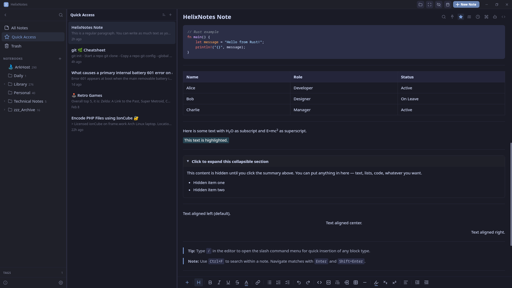
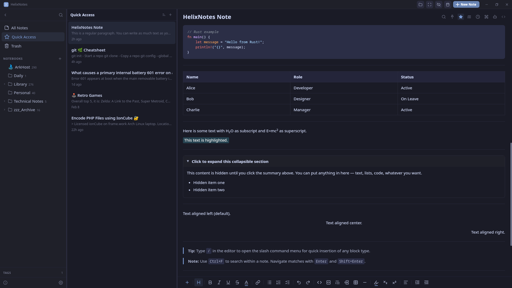
Yes, it supports LaTeX math blocks via KaTeX.